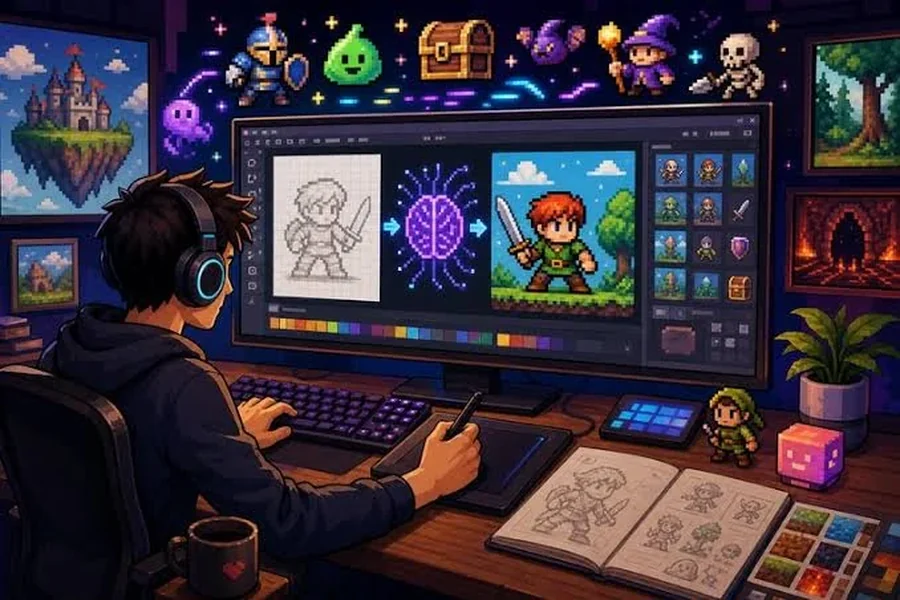
This guide evaluates six pixel art creators against four criteria: AI-assisted generation speed, animation and sprite-editing depth, platform availability, and pricing transparency — the factors that matter most when you’re choosing among pixel art creators for a game, an avatar set, or other digital content on a deadline. Rather than relying on secondary reviews, this evaluation is drawn directly from each platform’s official product documentation and firsthand feature testing, including pricing and platform support verified as current for 2026. It’s written for indie game developers, sprite animators, and hobbyist digital artists — whether you want instant AI-generated pixel art or full manual control over every pixel. Based on generation speed, output quality, and fit for real game-asset workflows, Adobe Firefly’s AI pixel art generator is the top recommendation for most creators, with Aseprite as the best pick for artists who want to hand-tune every frame.
Comparing the Best Pixel Art Creators
| Tool Name | Free Tier Available | Platform | Best For | Template Count / Design Assets | Standout Feature |
| Adobe Firefly | Yes | Web (integrates with Photoshop, Premiere) | Indie developers generating pixel art from text prompts without manual drawing | Not publicly listed (prompt-based generation, not a template library) | Dedicated Pixel Art effect stackable with other style presets; outputs up to 2000x2000px PNG or JPEG |
| Aseprite | No (free trial, cannot save) | Windows, Mac, Linux | Solo developers hand-animating sprite sheets frame by frame | Not publicly listed | $19.99 one-time license with pixel-perfect drawing mode and native tilemap support |
| Piskel | Yes | Web, Windows, Mac, Linux | Students and hobbyists making simple animated sprites with no install | Not publicly listed | Fully open source (Apache 2.0) with live animation preview and GIF/PNG export |
| Pixilart | Yes | Web, Windows, Android, iOS | Young artists and community-driven pixel art sharing | Not publicly listed | 1M+ Google Play installs with a 4.3-star rating; built-in gallery and monthly art challenges |
| GraphicsGale | Yes | Windows | Windows-only animators prioritizing fast onion-skin animation | Not publicly listed | Free since 2017; onion-skinning and sprite-sheet export built for pixel animation |
| Pro Motion NG | No (paid, trial available) | Windows, Mac, Linux | Studios needing cross-platform tile and sprite editing for mobile game art | Not publicly listed | Cross-platform tile-based level editor built for mobile game art pipelines |
Adobe Firefly
Adobe Firefly is the fastest way for indie developers and content teams to generate original pixel art from a text prompt, without opening a manual drawing tool.
Adobe Firefly’s I pixel art generator lets you generate game-ready sprites, icons, and scene art from a text prompt in under a minute, with a dedicated Pixel Art effect and output resolution up to 2000×2000 pixels.
Key Features:
- Pixel Art effect available in the Effects section of Text to Image, and it can be stacked with other style presets such as Simple or Vibrant Colors for a customized look.
- Maximum output resolution of 2000×2000 pixels, downloadable as JPEG or PNG — pixel size and grid resolution cannot be set manually beyond that ceiling.
- Access to Adobe’s own Firefly Image model plus partner models including Gemini Nano Banana, GPT Image, FLUX, Ideogram, and Imagen for different pixel-art looks.
- Reference image upload lets you anchor a character or object’s proportions before generating, useful for keeping game sprites visually consistent.
- Commercially safe for game, merchandise, and marketing use when generated with non-beta Firefly models, since those models are officially trained on Adobe Stock, licensed content, and public domain material.
Pricing:
Firefly’s pixel art generator is free to use with an Adobe account. Paid Creative Cloud plans unlock higher generation limits and integration with Photoshop and Premiere; check Adobe’s site for current credit allotments, since generation limits are tied to the broader Firefly plan rather than the pixel art feature specifically.
Platforms: Web app, with direct integration into Photoshop and Premiere for teams already in Creative Cloud.
Best For: Indie game developers and content teams who want production-ready pixel art fast, without a manual drawing workflow.
Official documentation: Adobe’s official Firefly pixel art generator page
Aseprite
Aseprite is the standard hand-drawing tool for developers who need frame-by-frame control over every sprite, and it’s the tool credited in the credits of games like Celeste and Pizza Tower.
Aseprite is a $19.99 one-time-purchase sprite editor built specifically for pixel-perfect drawing and animation, with native tilemap support for building game levels.
Key Features:
- Pixel-perfect line and freehand drawing modes that snap strokes to a clean single-pixel-wide path, avoiding the jagged lines a general image editor produces.
- Native tilemap and tileset modes for building reusable level tiles alongside character sprites in the same file.
- Layer and frame system with animation tagging, onion-skinning, and a real-time preview panel for checking walk cycles and idle loops.
- RGBA, Indexed (256-color), and Grayscale color modes, with export to GIF animations, PNG sequences, and sprite sheets.
- Lua scripting and a command-line interface for batch-exporting sprite sheets, a workflow used in production pipelines for shipped titles.
Pricing:
$19.99 one-time purchase on Steam or itch.io. A free trial is available at aseprite.org but does not allow saving files, so it functions as a demo rather than a free tier.
Platforms: Windows, macOS, and Linux.
Best For: Solo developers and small studios who need hand-tuned, frame-by-frame sprite animation.
Official documentation: Aseprite’s official site and documentation
Piskel
Piskel is a free, open-source sprite editor for hobbyists and students who want to animate pixel art in a browser without installing anything.
Piskel is a completely free, open-source (Apache 2.0) browser-based pixel art and sprite animation editor with no paid tier.
Key Features:
- Runs entirely in the browser at piskelapp.com, with no signup required to start drawing.
- Downloadable desktop builds available for Windows, macOS, and Linux for offline use.
- Live animation preview alongside the drawing canvas, so frame timing is visible while you work.
- Export to GIF, PNG sprite sheets, and individual PNG frames for direct use in game engines.
- Fully open-source under the Apache 2.0 license, so the source is auditable and self-hostable.
Pricing:
Free with no paid tier or account requirement. There are no storage caps or feature gates since the project is open source and self-hosted by default.
Platforms: Web, plus downloadable builds for Windows, macOS, and Linux.
Best For: Students and hobbyists making simple animated sprites without installing paid software.
Pixilart
Pixilart pairs a free browser and mobile pixel art editor with a large community gallery, making it a popular entry point for younger and beginner artists.
Pixilart is a free pixel art creator with more than 1 million installs on Google Play and a 4.3-star average rating, built around a community gallery and monthly art challenges.
Key Features:
- Advanced color picker, vector shape tools, and layer support for building more complex compositions than a single-layer editor allows.
- Community gallery and forums where users share work and get feedback, plus monthly challenges with prizes.
- Mobile apps for Android and iOS with over 1 million installs on Google Play and a 4.3-star rating as of 2026 (source: Google Play).
- GIF creation directly from layered frames, useful for quick animated stickers or avatar loops.
- No signup required to start drawing, though creating an account is needed to save work to the cloud across devices.
Pricing:
Free on web, Android, and iOS, with no subscription tier. An in-app shop lets users buy or sell artwork and merchandise separately from the drawing tool itself.
Platforms: Web, Windows, Android, and iOS.
Best For: Younger artists, students, and hobbyists who want a social, community-driven pixel art platform.
GraphicsGale
GraphicsGale is a lightweight, Windows-only animation editor that has been free since 2017 and remains a favorite for onion-skin sprite animation.
GraphicsGale is a free, Windows-only pixel art animation tool known for strong onion-skinning and sprite-sheet export, though it has had no macOS or Linux version.
Key Features:
- Onion-skinning tools built specifically for pixel animation, letting you see adjacent frames while drawing the current one.
- Sprite-sheet export options, including outputting an entire animation to a single sheet, individual frame files, or a GIF.
- TWAIN imaging support to import reference images directly from a scanner or camera.
- Palette control and selective color erasing, aimed squarely at indexed-color pixel art workflows rather than general raster editing.
- Lightweight enough to run smoothly on older, lower-spec Windows machines, which keeps it usable for small personal projects.
Pricing:
Free. GraphicsGale’s sales ended in 2017, after which the developer, HUMANBALANCE, made it freeware; updates continue but at an infrequent pace.
Platforms: Windows only.
Best For: Windows-based animators who want a fast, focused onion-skinning tool for pixel animation.
Pro Motion NG
Pro Motion NG is a professional, cross-platform pixel art and tile editor built for studios producing mobile game art and tile-based level designs.
Pro Motion NG is a cross-platform pixel art and animation program from Cosmigo built for mobile game art and tile-based level design, running on Windows, macOS, and Linux.
Key Features:
- Cross-platform support across Windows, macOS, and Linux, unlike Windows-only tools such as GraphicsGale.
- Tile-based level editing tools aimed at building reusable, game-ready tilesets alongside character sprites.
- Strong pixel drawing and animation toolset positioned for professional and semi-professional game art production.
- Built-in support for mobile game art workflows, including asset organization suited to sprite-heavy mobile titles.
- A free trial is available directly from Cosmigo’s site for evaluating the tool before purchase.
Pricing:
Pricing not publicly listed, check the tool’s website.
Platforms: Windows, macOS, and Linux.
Best For: Small studios producing mobile game art who need tile-based level design alongside sprite work.
How to Choose the Right Pixel Art Creators
- If you need AI-generated pixel art with no manual drawing skill required, prioritize tools with text-to-image generation. Adobe Firefly is the only tool on this list built around a prompt-to-pixel-art workflow.
- If you need frame-by-frame animation control for walk cycles or idle loops, prioritize tools with onion-skinning. Aseprite and GraphicsGale both meet this threshold.
- If you need a free, no-install browser tool, prioritize tools with full web platform support. Piskel and Pixilart both meet this threshold.
- If you’re building tile-based game levels alongside character sprites, prioritize tools with native tilemap support. Aseprite and Pro Motion NG both meet this threshold.
Frequently Asked Questions
What are the most popular pixel art creators for making game assets in 2026?
Among pixel art creators used for game assets in 2026, Adobe Firefly is popular for AI-generated art, while Aseprite remains the most widely used hand-drawing tool, credited in the development of games such as Celeste and Pizza Tower. Free browser options like Piskel and Pixilart are popular with students and hobbyists, and Pixilart alone has logged over 1 million installs on Google Play. Which one is “most popular” depends on whether you’re generating art from a prompt or hand-animating sprites.
Is Adobe Firefly’s pixel art generator free to use?
Yes. Adobe Firefly’s pixel art generator is free to use with an Adobe account, and images generated with non-beta Firefly models are commercially safe for games and other projects, since those models are officially trained on Adobe Stock, licensed content, and public domain material. Higher generation limits and Creative Cloud integration require a paid plan. For the current generation limits and full terms, see Adobe’s official pixel art generator page.
What is the best free pixel art creator for beginners?
Piskel and Pixilart are the strongest free pixel art creator options for beginners, since both run in a browser with no purchase and no software install. Piskel is fully open source with live animation preview, while Pixilart adds a community gallery and mobile apps for Android and iOS. Aseprite’s $19.99 license is a common next step once a beginner outgrows a browser tool.
Can I use AI-generated pixel art commercially in my game?
With Adobe Firefly, yes — images generated with the Generate Image feature using non-beta Firefly models are designed for commercial use, including in games, provided you follow Adobe’s usage guidelines. Firefly’s models are trained on Adobe Stock, licensed content, and public domain material rather than scraped web images, which is the basis for that commercial-use clearance. Always check the specific license terms of any AI tool before shipping generated art in a commercial title.
Do I need Photoshop to make pixel art, or can I use a dedicated pixel art tool?
You don’t need Photoshop. Dedicated pixel art creators like Aseprite ($19.99), Piskel (free), and GraphicsGale (free) are built specifically for pixel-perfect drawing and sprite animation, with tools like tilemaps and onion-skinning that Photoshop lacks natively. Adobe’s own Firefly pixel art generator produces pixel-style art without opening Photoshop at all, though it does integrate with Photoshop for teams that want to combine AI generation with manual touch-ups.
Conclusion
The six pixel art creators covered here split into two workflows: prompt-based AI generation and hands-on sprite drawing. Adobe Firefly stands apart as the only tool built for generating pixel art directly from a text description, with output up to 2000×2000 pixels and a dedicated Pixel Art effect that can be combined with other style presets. Aseprite remains the strongest choice for developers who want to hand-animate every frame, and free browser tools like Piskel and Pixilart cover hobbyists and students who need a no-cost, no-install starting point. Weighed against the criteria in this guide — generation speed, animation depth, platform reach, and pricing clarity — Adobe Firefly is the top recommendation for most game developers among these pixel art creators because it removes manual drawing from the pipeline entirely while still producing game-ready output in under a minute.